DriftVeraAccessibility risk monitoring for ecommerce

BigCommerce accessibility checker

Accessibility risk monitoring for BigCommerce stores.

Scan once to see where you stand. Then let us watch it — every week, across your whole catalog, so a theme change or a new collection doesn't quietly reopen a problem you fixed.

Free. No account. Results in about 60 seconds.

A real report, not a generic checklist

See what to fix first.

Findings are ranked and translated into the shopper's experience, the likely effort, and the place to make the change.

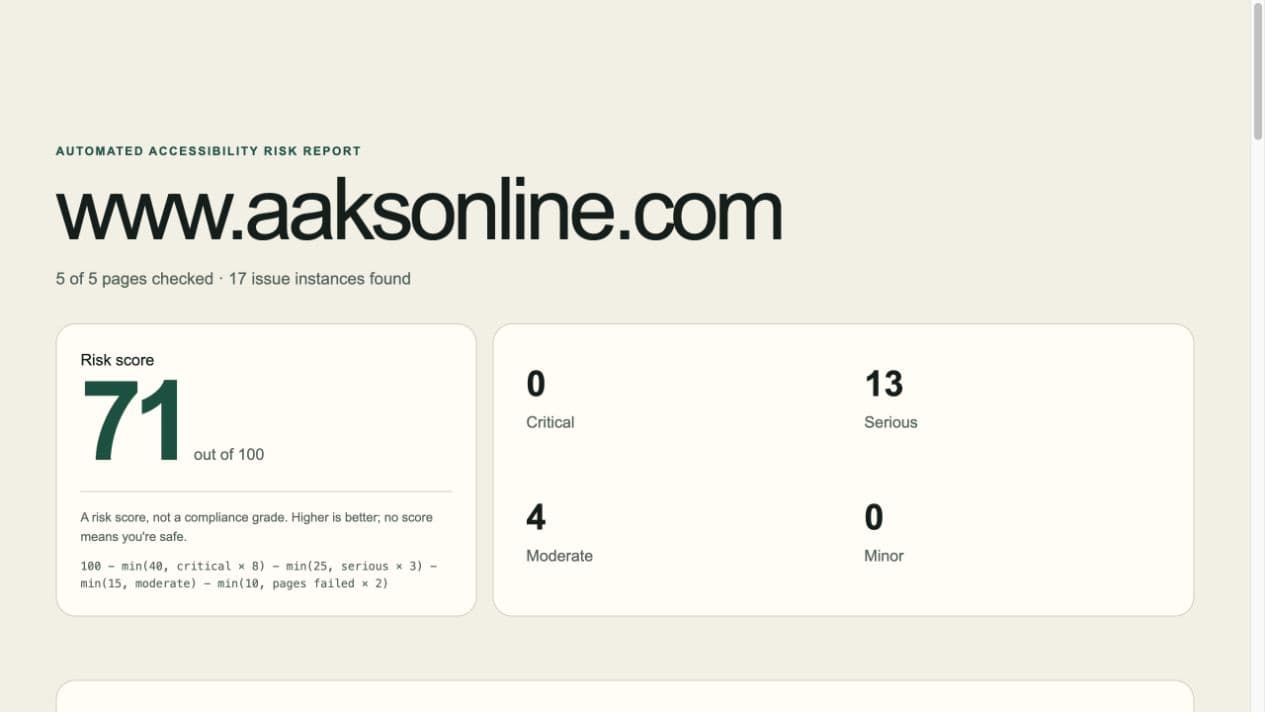
A real DriftVera accessibility risk report showing a risk score, severity totals, and scanned pages
Real report from a completed five-page storefront scan.

Continuous monitoring

Why one scan isn't enough

A site that passes today can fail next month without anyone touching the theme. You add products. An app updates. A seasonal banner goes up. A third-party review widget changes its markup. Accessibility isn't a state you reach — it's a state you drift out of.

That's the part nobody sells you. One-off audits hand you a PDF and leave. We re-check every week and tell you what changed.

Common BigCommerce findings

Three issues the scan can make actionable.

Developer fix

Buttons with no name — including Add to Cart

Your Add to Cart, quantity, and menu buttons are announced as just "button". A shopper who can't see the icon has no way to tell which one buys the product. This is the point where an accessible visit becomes a lost sale.

Where you fix it

Storefront → Themes → Advanced → Edit Theme Files. A theme developer adds an accessible name to icon-only Add to Cart, quantity, menu, and search buttons.

Developer fix

Size and colour pickers with no name

Your variant dropdowns are announced as an unnamed list of options. The shopper hears "Small, Medium, Large" with no idea whether they're choosing a size, a colour, or a shipping speed — and picks wrong, or gives up.

Where you fix it

Products → Product Options → make each option name clear. If the storefront selector remains unnamed, a theme developer must label it in the product template.

Developer fix

Checkout fields with no label

At checkout, a shopper hears "edit text, blank" and has to guess whether the box wants their address, their city, or their card. Most people abandon the order right here. Checkout form problems are among the most commonly cited issues in web accessibility complaints.

Where you fix it

Storefront → Themes → Advanced → Edit Theme Files. A theme developer adds a real <label> to each affected checkout field.
One plan

$49 / month

Weekly monitoring · up to 150 pages · email reports · no contract

Founding price — $29 / month

For the first 50 stores. Founding price stays at $29/mo for as long as your subscription stays active.

Start with a free scan →

Questions, answered plainly

Frequently asked questions

What BigCommerce pages does the free scan check?

It discovers a representative set of storefront pages, including high-value product, collection, cart, checkout, and contact paths when available.

Is the BigCommerce report a compliance certification?

No. It is an automated accessibility risk report for information only, not legal advice, an audit, or a certification.

What can weekly BigCommerce monitoring catch?

It can flag automated-test changes introduced by catalog growth, a new collection, app updates, or theme changes.