DriftVeraAccessibility risk monitoring for ecommerce

WooCommerce accessibility checker

Find the accessibility issues on your WooCommerce store — then keep finding them every week.

We scan your storefront with the same open-source engine accessibility auditors use, and translate what it finds into plain English: what a shopper actually experiences, and where in WooCommerce you fix it.

Free. No account. Results in about 60 seconds.

A real report, not a generic checklist

See what to fix first.

Findings are ranked and translated into the shopper's experience, the likely effort, and the place to make the change.

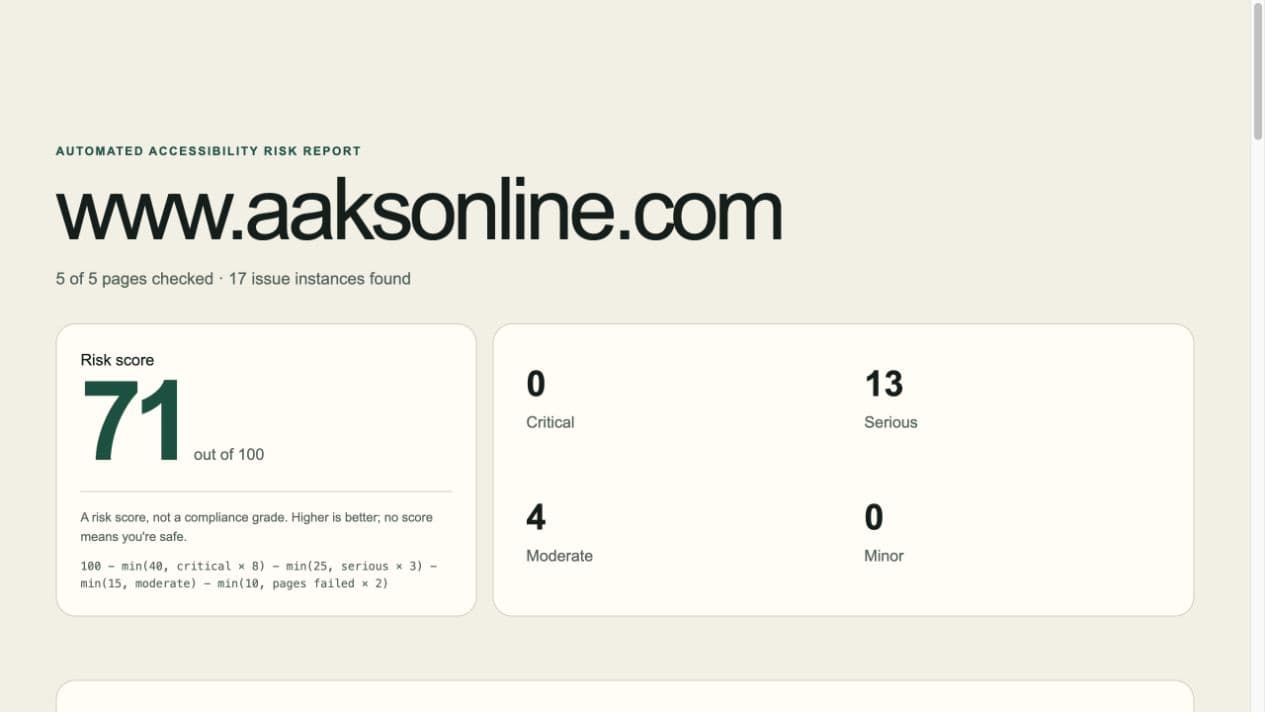
A real DriftVera accessibility risk report showing a risk score, severity totals, and scanned pages
Real report from a completed five-page storefront scan.

Continuous monitoring

Why one scan isn't enough

A site that passes today can fail next month without anyone touching the theme. You add products. An app updates. A seasonal banner goes up. A third-party review widget changes its markup. Accessibility isn't a state you reach — it's a state you drift out of.

That's the part nobody sells you. One-off audits hand you a PDF and leave. We re-check every week and tell you what changed.

Common WooCommerce findings

Three issues the scan can make actionable.

Quick fix

Product photos your customer can't identify

A shopper using a screen reader lands on your product page and hears the word "image" — or a filename like "IMG_4471.jpg". They have no way to know what they're looking at, so they leave.

Where you fix it

Products → open the product → click the image in Product gallery → fill the Alt text field in the media panel.

Quick fix

Text too faint to read

Light grey text on white is invisible to a lot of people — including anyone over 50 with normal age-related vision, and anyone shopping outdoors on a phone. This one quietly costs you sales from customers who never complain.

Where you fix it

Appearance → Customize → Colors, or your theme's typography settings. Darken body text and any grey 'sale price' or 'shipping note' text.

Developer fix

Checkout fields with no label

At checkout, a shopper hears "edit text, blank" and has to guess whether the box wants their address, their city, or their card. Most people abandon the order right here. Checkout form problems are among the most commonly cited issues in web accessibility complaints.

Where you fix it

Checkout labels usually come from your theme or a checkout-fields plugin. Ask its developer to add a real <label> for every field; placeholder text is not enough.
One plan

$49 / month

Weekly monitoring · up to 150 pages · email reports · no contract

Founding price — $29 / month

For the first 50 stores. Founding price stays at $29/mo for as long as your subscription stays active.

Start with a free scan →

Questions, answered plainly

Frequently asked questions

What does the WooCommerce accessibility checker scan?

It checks representative storefront pages with axe-core and translates automated findings into plain English and WooCommerce-specific next steps.

Does a clean scan mean my WooCommerce store is compliant?

No. Automated testing cannot find every accessibility issue. The report is a starting point, not an audit or certification.

Why monitor a WooCommerce store every week?

New products, plugins, theme updates, and third-party widgets can introduce new accessibility issues after an earlier fix.